AVG Secure VPN Proxy & Privacy
AVG MobileTools
4.36.99K Reviews
- Version
- 3.2.6686
- Installs
- 10.00M
- Age Rating
- Everyone
Screenshots
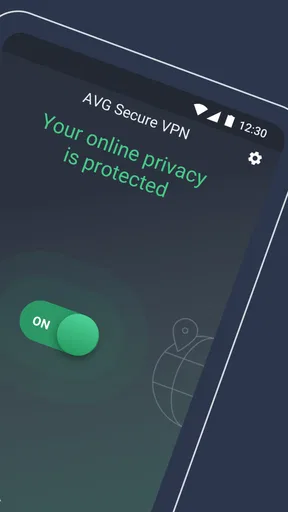
Our Review of AVG Secure VPN Proxy & Privacy
 Analysis by Appyee
When I use public Wi-Fi, I want a simple way to make the connection between my device and the internet more private without turning every trip online into a settings project. That is the main appeal of AVG Secure VPN Proxy & Privacy: it puts a VPN connection behind a straightforward, tap-first experience. It is a tools app from AVG Mobile, and I see it as a practical option for people who want a familiar security brand and a low-effort routine rather than a long list of controls.
A VPN changes the route your internet traffic takes by sending it through a VPN server. In everyday terms, that can help protect traffic on networks you do not control, such as Wi-Fi at a café or hotel. It does not make someone anonymous in every sense, and it does not replace careful choices about what you share or which links you open. I find it most useful as one layer of protection, not a magic shield.
How the VPN fits into everyday browsing
The first thing I noticed about AVG Secure VPN Proxy & Privacy is how easy it is to set up. Downloading and installing the app is a breeze, whether you're on Android or iOS. Once installed, the interface greets you with a clean and straightforward design. Even if you’re not exactly tech-savvy, you’ll find your way around in no time.
After launching the app, you’re just one tap away from securing your connection. The app quickly connects you to a server, and voilà, you’re surfing the web with enhanced privacy. I found this one-tap approach incredibly user-friendly, especially for those who just want to get things done without fussing with settings.
What a one-tap connection changes
That simple flow matters most when I am about to use a network I do not trust. Rather than remembering to adjust a collection of options, I can make connecting part of the same routine as opening a browser. A useful habit is to connect before signing in to email, shopping, or other personal accounts on shared Wi-Fi, then check that the VPN is still active if I move between networks.
A VPN does not fix every risk on public Wi-Fi. It cannot tell me whether a message is a scam, prevent me from entering a password on a fake site, or make a weak password safer. I still look for the correct site address and use the security features of my accounts. The benefit here is narrower but worthwhile: the VPN adds a protected route for network traffic, so I have one less reason to rely on the café’s or hotel’s network setup.
Choosing a location with a purpose
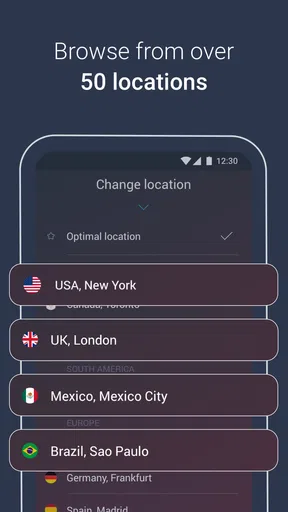
Once connected, you can choose from a variety of server locations. The app offers servers in numerous countries, which is great if you’re looking to access content from different regions. During my testing, the connection was stable, and I didn’t experience any noticeable slowdowns. It’s perfect for streaming, browsing, or just about anything else you’d want to do online.
I treat the location picker as a practical choice, not a button to tap at random. For ordinary browsing, a nearby option is usually the sensible starting point because a longer route can add delay. If I am troubleshooting a site that behaves differently by region, I can try another location and compare. That is a more grounded use than assuming every server will make every service faster or unlock every catalogue.
Regional access is also not guaranteed just because a VPN offers servers in multiple countries. Streaming platforms and other services may limit access or change how they respond to VPN traffic. If a service stops working, I would first switch back to my usual connection and check whether the problem is the VPN route, rather than repeatedly changing locations and assuming the app is broken. Anyone who needs dependable access to a particular service should test that exact service before relying on a VPN for it.
A realistic day away from home
Imagine I am waiting between appointments and need to check a bank notification using a shop’s Wi-Fi. I would open the VPN first, connect, and then use the bank app as usual. If the connection seems unusually slow, I would avoid making a time-sensitive payment until it settles, or switch to mobile data if that is available. The key is not to treat a VPN as a reason to ignore a poor connection; it is a privacy step that still depends on a working network.
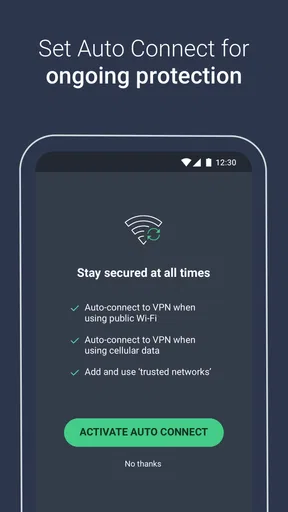
The same routine can help while travelling, when a phone may move between hotel, station, and café networks. I would reconnect after a network change rather than assume the protection carried over exactly as expected. For a short, casual check, the one-tap approach keeps the extra step manageable. For video calls or other delay-sensitive work, I would compare the VPN connection with my normal connection and choose whichever is stable enough for the task.
Exploring Features and Performance
One feature that stood out to me is the app’s kill switch. If the VPN connection drops, the kill switch automatically disconnects you from the internet. This prevents any accidental exposure of your online activities, which is a neat safety net. I found it reassuring, knowing that my privacy wouldn’t be compromised even if the connection faltered.
The kill switch is most useful when I care more about keeping traffic off an unprotected connection than staying online without interruption. Its trade-off is easy to understand: if the VPN drops, internet access can stop until the secure connection returns or I change my setup. That may be inconvenient when I am trying to load a ticket or send a quick message, so I would not enable protection blindly and then assume a stalled app is a phone fault.
For a careful workflow, I would test the behavior before travelling: connect, use a non-urgent page, and learn what the phone does if the VPN disconnects. Then I know whether I should wait for reconnection or turn the VPN off to get back online. This small check can prevent confusion at the moment I need access. It also makes the kill switch feel like a deliberate privacy choice rather than an invisible setting.
Privacy protection, with realistic expectations
Security is the name of the game, and AVG doesn’t disappoint. The app uses military-grade encryption to keep your data safe. It’s like wrapping your internet traffic in a steel vault. This is especially important when you’re using public Wi-Fi networks, which are notorious for being insecure.
Encryption is valuable, but I would not read it as a promise that everything on a device becomes private. A VPN provider handles the connection as it passes through its servers, so choosing a provider involves trusting that company as well as the network. The app’s privacy claims are relevant to that decision, but I still keep normal safeguards in place: secure account sign-ins, software updates, and caution with links and downloads.
Moreover, AVG Secure VPN Proxy & Privacy adheres to a strict no-log policy. This means they don’t track or store your online activities. It’s a comforting thought, knowing that your browsing history stays between you and your device.
For me, the useful question is what kind of protection I actually need. Someone mainly concerned about reducing exposure on public Wi-Fi may find a simple VPN routine sufficient. Someone who needs detailed network controls, specialized privacy tools, or a specific technical configuration should compare options carefully instead of assuming a beginner-friendly interface covers every advanced need.
How it compares with other ways to connect
Compared with browsing without a VPN, AVG Secure VPN adds a layer between the device and the network, which is why it makes sense on shared Wi-Fi. Compared with relying only on mobile data, it can be useful when Wi-Fi is the convenient option, but mobile data may be the simpler choice for a brief sensitive task if it is available and reliable. The best choice depends on the connection I have and the kind of work I am doing.
Compared with VPN apps built around extensive manual controls, AVG’s appeal is its approachable, direct flow. That simplicity is an advantage for someone who wants to connect and get on with the task. It can be a limitation for a power user who wants to tune every part of the connection or build a specialized setup. I would choose based on whether I value a quick, understandable routine or granular control more.
There is also a difference between a VPN and a full security suite. A VPN focuses on routing and protecting network traffic; it should not be treated as a substitute for device security, safe browsing habits, or account protection. I would not install it expecting it to detect every threat or clean up a compromised phone. Its value is clearest when I use it for the job it is meant to do.
Security and Privacy
A practical detail I keep in mind is that using a VPN can affect how a website or app sees my connection. Some services may ask for extra verification when I appear to be connecting from a different location, and a work or school network may have its own rules. If I run into a login check or a site that will not load, I would try disconnecting briefly on a trusted network or choosing another suitable server, then reconnect when I return to a less trusted network.
This is also why I would not leave a VPN on without thinking about context. For routine browsing on a trusted home connection, the benefit may matter less to me than it does on shared Wi-Fi, and a VPN route can sometimes introduce compatibility friction. I prefer to make the decision based on the network and task rather than treating “always on” as automatically best for everyone.
Cost, version, and who should choose it
The app is free to download, with in-app purchases ranging from $0.99 to $79.99 per item. It has an average rating of 4.4 from around 81,000 ratings, with about 6,700 written reviews and more than 5 million installs. Those figures suggest that it is widely used, but they do not tell me whether it fits my own needs. I would use the free entry point to understand the app’s experience and check the purchase terms shown on my device before deciding to pay.
The current version is 3.1.6681, and it supports Android 8.0 and later. It is rated for Everyone, so its listed age suitability is broad. I would still make sure the phone meets the operating-system requirement and review the in-app purchase details carefully; the range is wide enough that I would not assume every option has the same billing arrangement.
The app is a good match for someone who wants a recognizable provider, a quick connection flow, and a VPN primarily for everyday browsing on shared networks. It may be less suitable for someone who wants a free service with no paid choices, needs specialist configuration, or expects a VPN to guarantee access to region-restricted services. In those cases, comparing providers or using a different connection method may be a better fit.
Subscription and Pricing
The app offers a free trial, which is a great way to take it for a spin without committing. If you decide to continue, there are various subscription plans available, ranging from monthly to yearly. Personally, I think the yearly plan offers the best value, but it’s nice to have options.
While some might find the pricing a bit steep compared to other VPN services, the level of security and ease of use it provides justifies the cost in my opinion. Plus, the peace of mind it offers is priceless.
Final Thoughts
In a digital age where privacy feels more like a luxury than a right, AVG Secure VPN Proxy & Privacy stands out as a reliable guardian of your online presence. It’s easy to use, offers robust security features, and doesn’t bog down your connection with sluggish speeds. Whether you’re a casual surfer or a privacy enthusiast, this app has something to offer.
If you’re on the hunt for a VPN that balances security with simplicity, give AVG Secure VPN Proxy & Privacy a try. It’s like having a personal bodyguard for your internet activities, ensuring you stay safe and sound in the vast digital world.
Verdict
Strengths of AVG Secure VPN Proxy & Privacy
- Easy-to-use interface for all users.
- Reliable connection with minimal drops.
- Supports multiple devices with one account.
- Encryption ensures secure browsing.
- Fast servers for quick internet speeds.
Limitations of AVG Secure VPN Proxy & Privacy
- Limited free trial period available.
- Fewer server locations than competitors.
- May affect battery life on mobile devices.
- No advanced features for power users.
- Customer support can be slow to respond.
Other Releases by AVG Mobile
View All
AVG Cleaner – Storage Cleaner
Productivity4.6

AVG AntiVirus & Security
Tools4.6
Similar Picks in This Category
View All
Google LLC4.0

Gboard - the Google Keyboard
Google LLC4.5

Google Play services
Google LLC4.3

Google Play Store
Google LLC4.9

Files by Google
Google LLC4.5

SHAREit: Transfer, Share Files
Smart Media4U Technology Pte.Ltd.4.3
Frequently Asked Questions
What platforms is AVG Secure VPN Proxy & Privacy available on?
AVG Secure VPN Proxy & Privacy is available on both Android and iOS platforms. Users can download it from the Google Play Store for Android devices and the Apple App Store for iOS devices. It provides a seamless experience on smartphones and tablets, ensuring your online privacy and security across all your mobile devices.
How does AVG Secure VPN Proxy & Privacy ensure my online privacy?
AVG Secure VPN Proxy & Privacy ensures online privacy by encrypting your internet connection. This encryption protects your data from hackers and third parties when using public Wi-Fi or unsecured networks. It hides your IP address, making your online activities anonymous and preventing tracking by websites or advertisers.
Does AVG Secure VPN Proxy & Privacy affect internet speed?
Like most VPNs, AVG Secure VPN Proxy & Privacy may cause a slight reduction in internet speed due to the encryption process. However, it is optimized to minimize speed loss while maximizing security. Users generally experience a fast and reliable connection, making it suitable for streaming and browsing without significant interruptions.
Is there a free version of AVG Secure VPN Proxy & Privacy available?
AVG Secure VPN Proxy & Privacy offers a free trial period for new users to explore its features before committing to a subscription. After the trial, users need to choose a paid plan to continue using the service. The subscription provides unlimited access to all features, including global server locations and priority support.
What kind of customer support does AVG provide for VPN users?
AVG provides comprehensive customer support for its VPN users, including 24/7 assistance via chat and email. Users can access a detailed help section on the AVG website, containing FAQs and troubleshooting guides. The support ensures that any issues are resolved quickly, providing a smooth and secure VPN experience.
